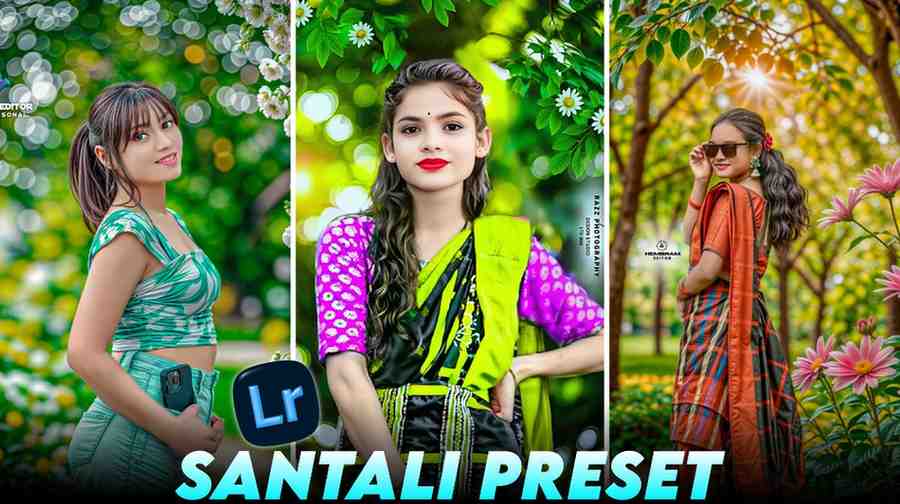
Nowadays Santali Photo Editing is very famous on social media. Especially the trending style of Jharkhand is ruling the whole internet now. You also see this kind of photo and think, oh, I wish my photo was like this. But making this perfect editing is not an easy task. If you do it in the normal way, you waste hours of time. But you do not have that worry anymore.
Today I will share a trick with you, and you can do this work in just one click. Actually, this trend started about one year ago. But the amazing thing is, its popularity is not less today at all.
If you upload photos in this style on Instagram or Facebook, you get many likes and comments very quickly. If you are not a professional editor, there is no problem. By using our special trick, you can also do that next level Santali photo editing in your photos. So let us know how you will do this photo editing.
What is Santali Photo Editing?
This editing style is not a simple color grading. This is a completely different art.
When a group of creators from Jharkhand started using this style for the first time, it became famous from that time. Here, people mainly make a beautiful mix of nature green and soil color with human skin tone.
When I tried to do this style by myself with hand for the first time, my whole color panel was spoiled. Because there is a specific color science behind it. In this editing, people do not use very bright or hard colors. A soft look of green is shown here, which looks very premium.
Compared to simple photos, these style photos look very beautiful to human eyes. The most fun thing is, this editing can take any simple background photo to a completely different level in one moment. If you take a photo standing on a simple village road or under a tree, it will go to another level by the touch of this editing.
Why Should You Use Lightroom Presets Santali Collection?
Many people ask me, big brother, why is it better to use presets than editing with your own hand? The biggest and easiest answer is to save time. If you go to the mix tool of Lightroom by yourself and match the hue and saturation of every color, your head will get upset.
And in this exact place, our special collection will help you. Let me talk about myself, before when I edited photos for my friends, it became evening from afternoon to do just one photo. But since I made this collection, my work takes only a few seconds.
In this, some filters of moody presets are added, which edit the photo without spoiling the details of the photo. Also, we provided dark presets and Forest Lightroom Presets in this collection, and you can edit photos of different colors with them. As a result, if you take photos standing in the sun or in a deep forest, your photo will be edited perfectly if you use this. Professional photographers always use the same tone presets to keep their feed beautiful.
Where to Get Free Santali Lightroom Presets?
If you search on the internet or Google, you may find thousands of websites that will say they are giving you free presets. But I am saying from my own personal experience, most of them are fake or do not work. If you click on a link, it takes you to another website, and some do not support in Lightroom app even if you save it. There is no meaning to waste your valuable time and internet pack by searching like this.
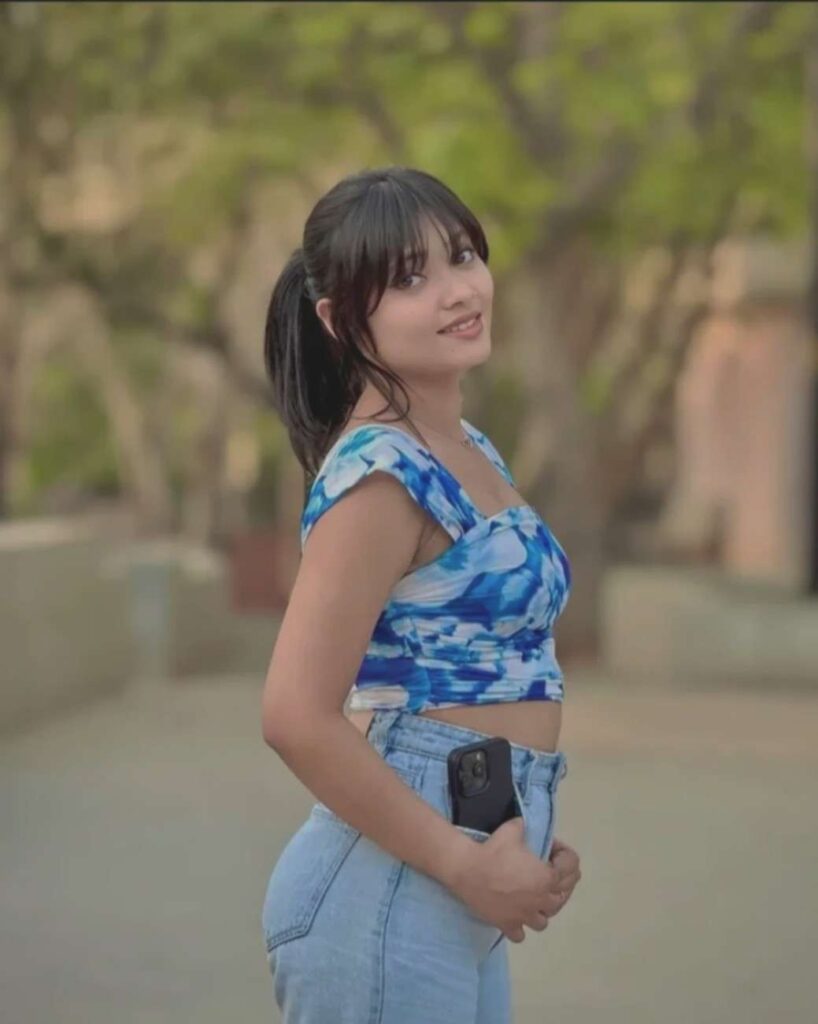
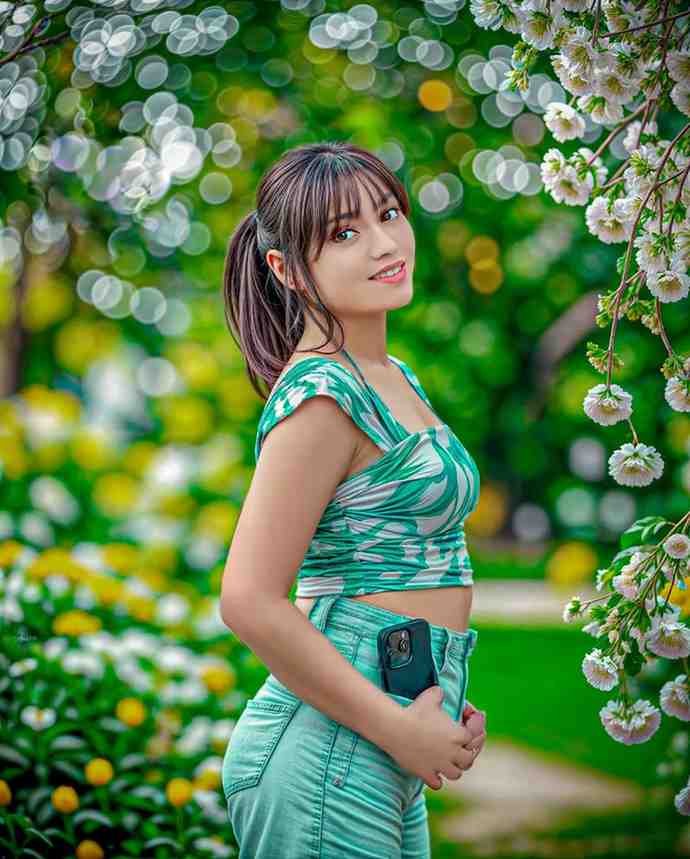
I have made all the arrangements by myself so that you do not face this kind of problem. You can see a beautiful demo photo just below this article. But be careful, do not press on that photo and save it thinking it is a preset. That is used only to show you how the photo will look after editing.
To get the real file, a button is given just below that demo photo. If you click on that button, Google Drive will open directly, and you can get the real file in your phone very easily without any trouble.
How to Use Santali Lightroom Presets for Perfect Editing?
The preset is saved, now let us talk about the easiest rule to use it. Follow the steps exactly as I am saying, it will feel very easy like water.
- First, you have to install the Lightroom application in your mobile. If you are an Android user, you will get it in Google Play Store, and if you are an iPhone user, you will get it from App Store.
- After that, open the app and make a free account with your any Gmail ID.
- If you open the application, you will see a blue button at the bottom side, where options for camera and gallery will be there. From there, click on the plus icon and add your photo from your gallery and the preset file got from our website together in Lightroom.
- After that, first click on our given preset photo and open it. Click on the Three-Dot option at the top right corner, and press on the Copy Settings text from there.
- Next, come back and open your own photo that you want to edit. Click on that Three-Dot option again and press on the Paste Settings option this time. That is all, work is done. If you do this, your simple photo will change into an amazing look in just one click.
Can I use these santali lightroom presets on mobile?
Many people think this question in their mind, is it really possible to do such beautiful professional editing on a simple mobile phone, or will you need a laptop or a costly computer for this?
I can tell you with full confidence, you do not need any costly computer for this. You can do this work with the simple smartphone in your hand. When I designed these presets, I remembered that most of our friends do not have a computer.
Using it on a mobile screen is much easier than a computer. Whatever your phone processor is, this file will not create any extra pressure on your phone. Even if you are sitting in a moving bus or train, you can edit your photo in just a few seconds and post it on social media.
How to Get the Perfect Skin Tone in Santali Photo Editing?
The biggest challenge of this editing style is to keep the skin tone or body color right. Many times it is seen that the face color becomes blue or completely black while making the back background beautiful.
When I was in the starting days, I faced this kind of problem a lot, the photo became beautiful but the natural look of the face was lost.
But I have given a permanent solution to that problem in our special preset. Here, the balance of orange and yellow color of the color mix tool is set very perfectly so that the natural skin color of humans stays right along with increasing the deep green of the background. So, you will not have any problem on the screen if you use this preset.
Are these lightroom presets santali versions free to use?
In the world of internet nowadays, a big price tag is always put behind good things. There are many editors who make this kind of trending tone and sell them at a high price. But I believe that art or knowledge should not be tied with money.
Especially when it is about a trend of our own culture, so I want to tell you clearly that all the lightroom presets collection given on our website is one hundred percent free. You do not have to spend one rupee for this. There is no hidden charge or premium subscription problem here.
Because I make these by myself and then I give them to you.
Conclusion
At the end I will say only this, this photo editing style is becoming very viral on social media, so you also try this editing right now. And our santali photo editing lightroom presets collection is giving you that exact chance. I hope you learned something new from today’s post and your fear of editing is gone. Now do not waste hours of time, make your photo viral in just one click. If you like this post, do not forget to share it with your friends. Thank you, stay well, stay healthy.

One Comment on “Santali Photo Editing Lightroom Presets: 1 Click Editing”